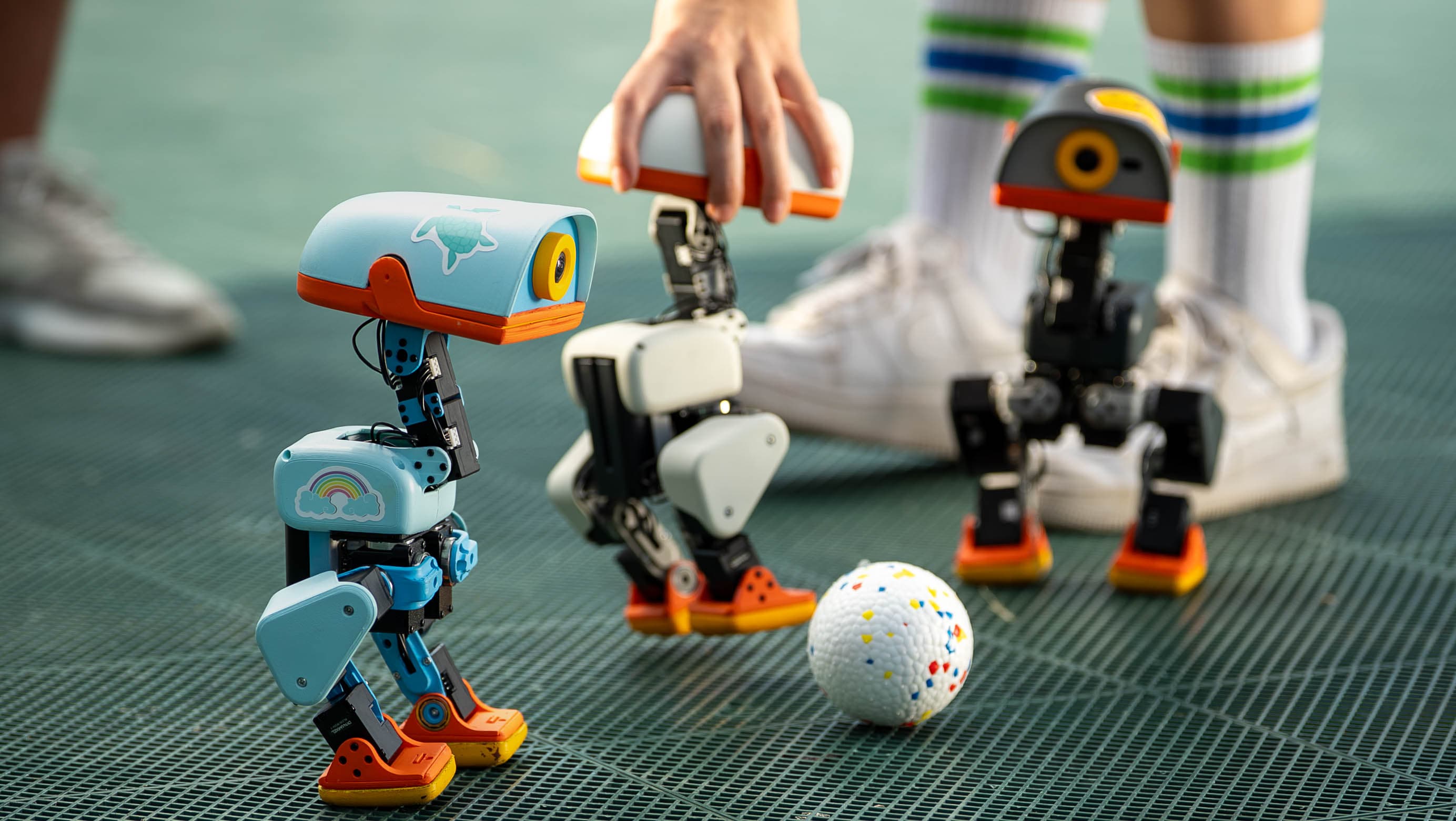
 Microduck
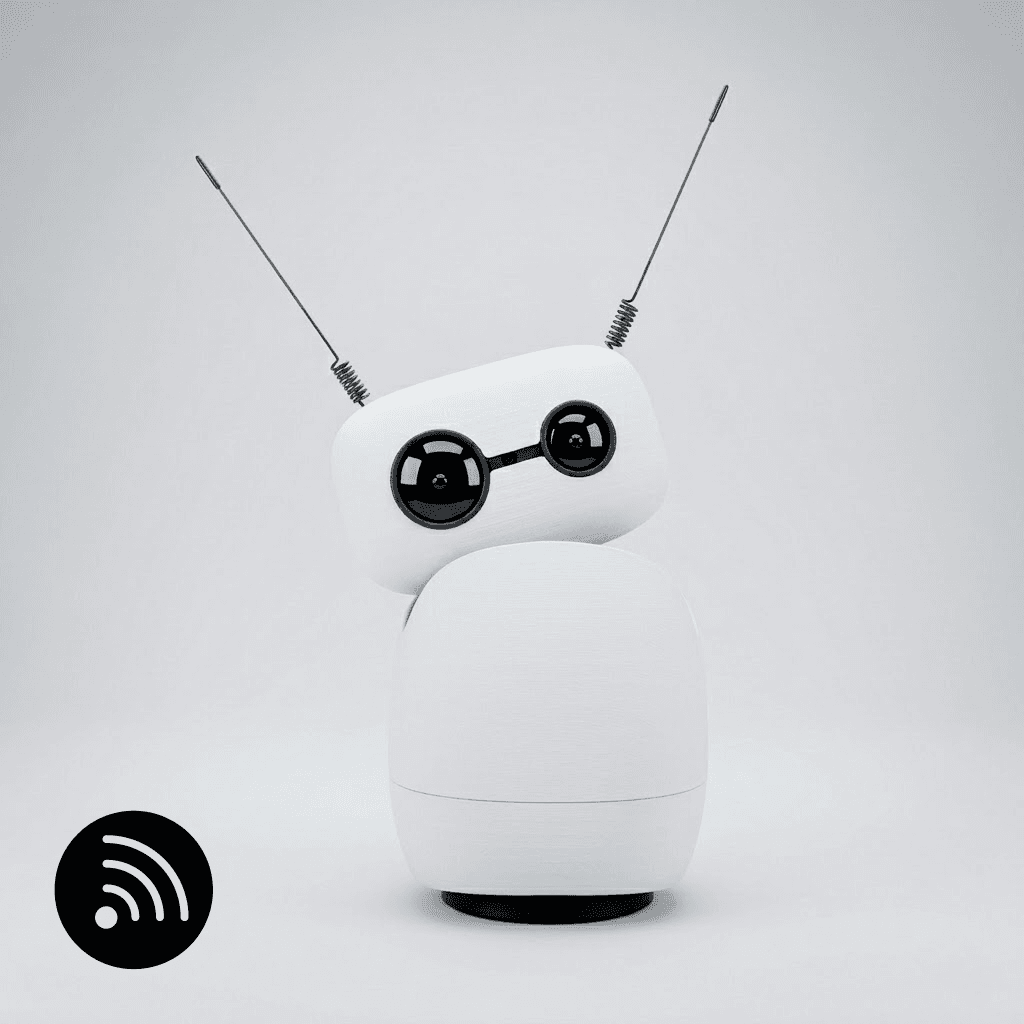 Reachy Mini
Quick verdict
The role decides the winner.
Choose Microduck for locomotion, control, and reinforcement-learning experiments. Choose Reachy Mini for voice, vision, expression, and shareable AI apps. Neither is a general-purpose household helper.
Choose Microduck if
- You want a moving biped
- Reinforcement learning and sim-to-real are the project
- An included gamepad matters
Choose Reachy Mini if
- Voice, camera, and human interaction are the project
- You want a larger app ecosystem
- A desktop robot suits the space
Side by side
Specifications with context.
| Decision point | Microduck | Reachy Mini |
|---|---|---|
| Starting price | $399 preorder | €350 Lite / €435 Wireless |
| Physical role | 25 cm mobile biped | 28 cm rotating desktop robot |
| Motion | 15 motors; walking and recovery | 9 servos; 6-DoF head and body rotation |
| Compute model | Onboard runtime and developer stack | Host-computer Lite or onboard Wireless |
| Interaction | Gamepad, camera, sensors, beak | Camera, 4 microphones, speaker, antennas |
| Setup | Delivered as a robot; preorder timing | DIY kit; usually 1.5–4 hours |
| Best first project | Adapt a movement policy | Build a voice or vision app |
Comparison source review: . Price evidence has its own check date for each robot:
- Microduck: $399 USD · Checked · Official price source ↗
- Reachy Mini: €350 Lite / €435 Wireless · Checked · Official price source ↗
See each profile for package details and price history, then verify availability and the delivered total with the official store before purchasing.
Decision analysis
The real difference is embodiment.
Microduck puts its engineering budget into legs, balance, recovery, and policies that move a body through the world. Reachy Mini puts its character into head motion, antennas, camera, audio, and apps.
The right comparison is therefore not which has the longer specification sheet. It is whether your project needs locomotion or communication.
Reachy Mini is easier to share; Microduck goes deeper into motion.
Reachy Mini's web-app path and public app directory make demos easier to distribute. Microduck's simulation and reinforcement-learning workflow is more specialized, but it reaches into the difficult physical-AI problems that a stationary robot cannot teach.
Budget for time, not just hardware.
Reachy Mini requires assembly, and the Lite version requires a connected host computer. Microduck is in preorder and its advanced projects demand robotics tooling. Either can become a serious time investment once you move beyond included behaviors.
Sources and provenance
Primary sources behind this comparison.
- Official product pageMicroduck product pageOpen source ↗
Pollen Robotics · Checked 2026-09-01
- Official storeMicroduck store listingOpen source ↗
Pollen Robotics · Checked 2026-09-01
- Official repositoryMicroduck software repositoryOpen source ↗
Pollen Robotics · Checked 2026-09-01
- Official press kitMicroduck press kitOpen source ↗
Pollen Robotics · Checked 2026-09-01
- Official storeReachy Mini Lite listingOpen source ↗
Pollen Robotics · Checked 2026-09-01
- Official storeReachy Mini Wireless listingOpen source ↗
Pollen Robotics · Checked 2026-09-01
- Official FAQReachy Mini FAQOpen source ↗
Pollen Robotics · Checked 2026-09-01
- Official setup guideReachy Mini getting startedOpen source ↗
Pollen Robotics · Checked 2026-09-01
- Official app directoryReachy Mini appsOpen source ↗
Pollen Robotics · Checked 2026-09-01
- Official repositoryReachy Mini SDKOpen source ↗
Pollen Robotics · Checked 2026-09-01
- Official product pageReachy Mini privacy statementOpen source ↗
Pollen Robotics · Checked 2026-09-01