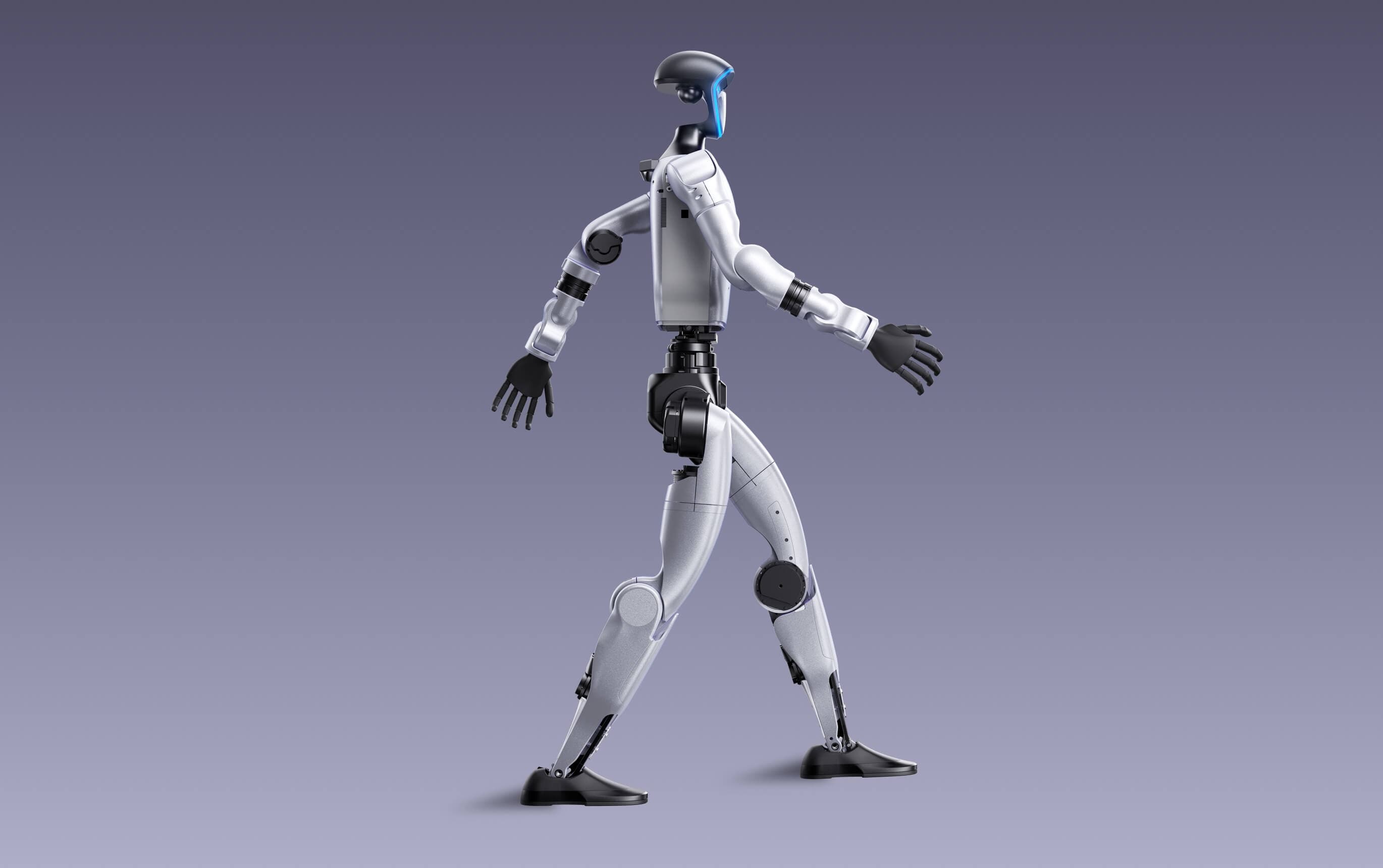
Research verdict
The stronger Unitree research base when sensing and runtime matter, provided the project and budget justify EDU.
G1 sits above R1 in Unitree's humanoid line. The standard $13,500 model provides a complete 23-DOF biped with depth sensing and 3D LiDAR, while G1 EDU configurations are the route to secondary development and more extensive research hardware. It is a flexible robotics platform, not a turnkey household assistant.
G1 is the better Unitree choice for teams that need richer perception, roughly two hours of listed runtime, and a larger development path than R1 offers. Its closest comparison to 1X NEO is about budget and humanoid scale, not product purpose. Standard G1 is less expensive than NEO ownership, but NEO adds a managed home service, automatic charging, and household software that G1 does not claim to replace.
Best fit
- University, laboratory, and robotics teams that need a capable biped with depth sensing and 3D LiDAR
- Projects that benefit from a longer listed runtime and broader EDU configuration path than R1
- Teams prepared to integrate their own perception, control, safety, and data systems
Probably not for
- Buyers expecting a finished consumer robot that independently manages household chores
- Developers assuming the $13,500 standard G1 includes the full G1 EDU development package
- Uncontrolled home environments without trained operators, clear safety space, and a fall-recovery plan
Before you choose
Compare Unitree G1 with the alternatives.
See which setup fits your space, budget and preferred way to interact.
Unitree's compact and general-purpose humanoids compared by price, size, runtime, sensing, payload, configurations, and the EDU development path.
A household humanoid service and a research platform compared by purpose, price, autonomy, charging, payload, sensing, development access, and ownership model.
Home-use reality
What can this robot actually offer a household?
Research platform
Orderable humanoid hardware, without a documented ready-made household chore service.
- Household tasks
- Sensors, hands, and development options depend on configuration; home chores are not supplied as a service.
- Human involvement
- A developer or operator must build, configure, and supervise task behavior.
- Home preparation
- Plan for a controlled area, external battery charging, and the exact EDU package needed.
HomeRobotHQ assessment · Evidence checked · Official source ↗
Price and key facts
A normalized snapshot with evidence attached.
These fields use the same structure across every HomeRobotHQ profile. Each value is linked to its evidence, classified transparently, or marked as not published.
Official store price
Unitree G1 price history
Checked
G1$13,500.00 USDPurchase · AvailableView price historyHide price history
How does this price compare?
Up to 90 days ending at the latest check · Oct 22, 2026.
12 recorded checks · Sep 2, 2026 – Oct 22, 2026
- Lowest in this range
- $13,500
- Highest in this range
- $13,500
Hover, tap or drag to inspect a check. With a keyboard, use the arrow keys, Home or End. The line connects recorded checks; prices between checks are unknown.
Same price as the previous check in this range.
Official-store checks for this variant. Prices may change between checks; shipping, taxes and checkout discounts are not included.
View all recorded prices (12)
| Date checked | Price | Status |
|---|---|---|
| $13,500.00 USD | Available | |
| $13,500.00 USD | Available | |
| $13,500.00 USD | Available | |
| $13,500.00 USD | Available | |
| $13,500.00 USD | Available | |
| $13,500.00 USD | Available | |
| $13,500.00 USD | Available | |
| $13,500.00 USD | Available | |
| $13,500.00 USD | Available | |
| $13,500.00 USD | Available | |
| $13,500.00 USD | Available | |
| $13,500.00 USD | Available |
- Listed price
- $13,500 G1; G1 EDU pricing by quote Official source · Checked View price history →Open evidence ↗
- Availability
- Available to order; official store may fulfill as backorder Official source · Checked Open evidence ↗
- Primary role
- General-purpose humanoid research platform HomeRobotHQ classification · Checked Open evidence ↗
- Cloud dependence
- No required cloud service documented for core platform use HomeRobotHQ classification · Checked Open evidence ↗
- Developer access
- Secondary development on G1 EDU configurations Official source · Checked Open evidence ↗
- Charging
- 9000 mAh quick-release battery and external charger Official source · Checked Open evidence ↗
Additional documented facts
Price, delivery timing, taxes, shipping, and regional availability can change. Verify the current official listing or status source before making a purchase decision. View the reviewed price history →
Capabilities and limits
What does G1 provide as a humanoid development platform?
Unitree documents biped mobility, depth sensing, 3D LiDAR, wireless control, a removable battery, optional dexterous hands, and EDU configurations with broader joint and computing options.
Structured capability evidence
“Supported” means the maker documents the capability. Each entry identifies its source, configuration limits, and evidence type.
Biped mobility
SupportedG1 is documented as a full-body biped humanoid platform.
Autonomous navigation
Not documentedDepth sensing and LiDAR do not by themselves establish a turnkey navigation mode.
Self-charging
Not documentedUnitree documents a quick-release battery and external charger, not an autonomous dock.
Object carrying
LimitedListed arm load is about 2 kg on standard G1 and 3 kg on G1 EDU.
Object manipulation
LimitedDexterous hands are configuration-dependent and demonstrations should not be generalized to base G1.
Household tasks
Not documentedG1 is a robotics platform, not a documented turnkey household task service.
Remote operation
SupportedUnitree publishes app and controller workflows for movement and configuration.
Developer control
SupportedSecondary development is documented for G1 EDU configurations, not base G1.
Evidence snapshot checked . “Not documented” means we did not find a reliable claim in the reviewed sources; it is not proof that the capability is impossible.
- 01Walk as a full-body biped and use the supplied movement and remote-control workflows
- 02Perceive the surrounding space with an Intel RealSense depth camera and Livox MID-360 3D LiDAR
- 03Use a four-microphone array, 5 W speaker, Wi-Fi 6, and Bluetooth 5.2 for interaction and connectivity
- 04Swap the 9000 mAh battery for longer research sessions instead of charging the robot in place
- 05Expand G1 EDU with additional joints, computing options, force-controlled dexterous hands, and SDK access
Important limitations
- G1 is sold as a general-purpose humanoid and research platform, not as a complete household service with automatic task planning and charging.
- Unitree lists secondary development for G1 EDU, not the base G1. The exact EDU configuration and price require a sales quote.
- The standard model's listed arm load is about 2 kg and dexterous hands are configuration-dependent, so demonstrations should not be read as universal base-model capability.
- Unitree warns users to maintain a sufficient safety distance and says some sample functions remain under development or testing.
Software and setup
The standard model is a configured robot; G1 EDU is the supported route to secondary development.
The Unitree Explore app provides status, alarm, calibration, joint adjustment, network, movement, and tutorial workflows for G1.
Unitree's G1 developer guide covers the EDU development path, including networking, SDK setup, motion control, and configuration-specific hardware.
Pin the robot firmware, SDK, simulation, and example versions used by a project so a future update does not silently change the operating baseline.
Decide whether the project needs standard G1 or a G1 EDU configuration before requesting delivery and support details.
Confirm the included hand, computing, battery, charger, remote control, and shipping terms for the exact configuration.
Prepare a controlled operating zone, physical stop procedure, fall clearance, trained operators, and battery-handling routine.
Run the official inspection, calibration, and supplied motion workflows before enabling custom code or manipulation experiments.
Projects worth exploring
- Build a perception pipeline that combines depth-camera and LiDAR observations
- Measure runtime and thermal behavior across walking, idle, and compute-intensive sessions
- Create a repeatable simulation-to-robot motion test with conservative physical limits
- Document an operator checklist for calibration, motion authorization, battery changes, and fall recovery
Privacy and connectivity
G1's depth camera, LiDAR, microphones, app, and development stack put data governance in the operator's hands.
G1 combines depth imaging, 3D LiDAR, microphones, wireless links, an app, and an optional developer stack. Map every data path before the robot operates around people.
Unlike NEO's managed consumer service, the current G1 materials do not describe a complete household privacy workflow. Research operators must define storage, remote access, credentials, and retention themselves.
Use a segmented network where appropriate, disable unneeded services, rotate credentials, and clearly notify people when sensors or recording are active.
From owners / home experience
How does Unitree G1 hold up at home?
Owner accounts add real-world context to the source-backed profile above. They are personal experiences, not controlled tests or manufacturer specifications. We review submissions before publication and label whether ownership evidence was reviewed.
No owner reports have been published for this model yet.
Own Unitree G1? Share your experience
Tell us what works in your home and what falls short. Your report goes to our private editorial inbox. We may contact you before publishing a short excerpt.
Alternatives
Compare the role before the specification.
Sources and provenance
Primary sources reviewed.
Follow the sources for the specifications, software requirements, and policies discussed above. Our editorial approach explains how evidence is used.
- Official specificationsG1 product and specification pageOpen source ↗
Unitree Robotics · Checked 2026-09-02
- Official storeG1 official store listingOpen source ↗
Unitree Robotics · Checked 2026-09-02
- Official documentationG1 app, tutorials, and manualsOpen source ↗
Unitree Robotics · Checked 2026-09-02
- Official documentationG1 developer documentationOpen source ↗
Unitree Robotics · Checked 2026-09-02