Research verdict
The stronger Enabot choice for recurring mobile monitoring.
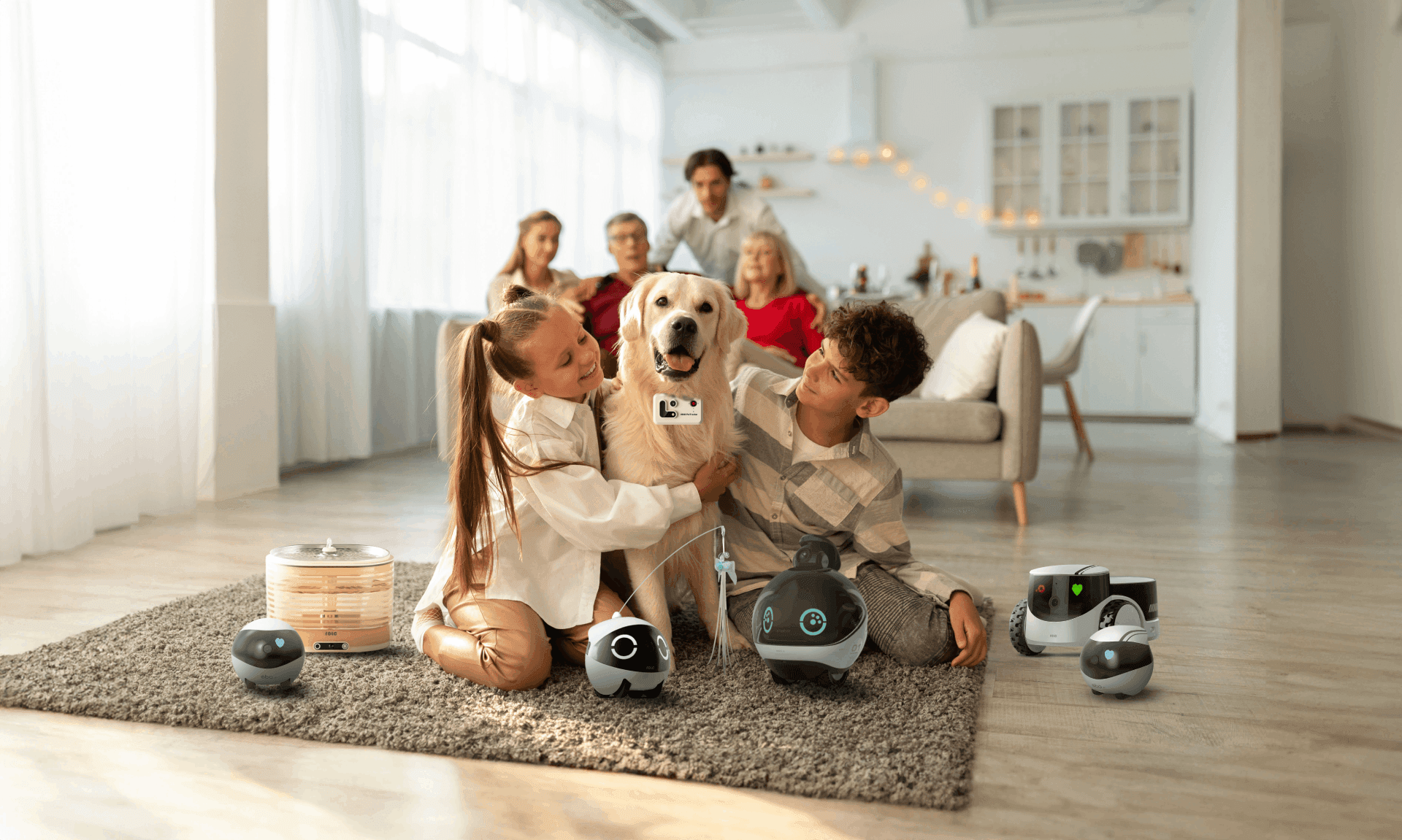
EBO Air 2 is a compact tracked monitoring robot with a 2K camera, two-way audio, night viewing, motion alerts, obstacle sensing, a laser, and an automatic charging dock. It uses the EBO Home Robot app for remote access.
EBO Air 2 gives up ROLA Mini's long battery claim for automatic docking, obstacle sensing, and a more continuous monitoring role. It is the better fit when you want a robot to return to base, but it still cannot handle stairs, water, thick carpet, or the judgment of a security system.
Best fit
- Pet owners wanting mobile viewing, laser, and audio
- People who prefer automatic docking
- Homes with level dry floors and low-pile carpet
Probably not for
- Anyone needing stair-safe autonomy or certified security
- Homes with thick rugs, water, or heavy clutter
- Buyers who need a security appliance rather than a consumer family robot
Before you choose
Compare Enabot EBO Air 2 with the alternatives.
See which setup fits your space, budget and preferred way to interact.
Two Enabot 2K movable cameras: one returns to a dock, while the other trades autonomy for a much larger battery.
Compare Enabot's self-charging mobile cameras by current price and stock, video resolution, battery, runtime, dimensions, storage, and the monitoring routines each supports.
Price and key facts
A normalized snapshot with evidence attached.
These fields use the same structure across every HomeRobotHQ profile. Each value is linked to its evidence, classified transparently, or marked as not published.
Official store price
Enabot EBO Air 2 price history
Checked
Dove White / US Plug$199.00 USDPurchase · AvailableView price historyHide price history
How does this price compare?
Up to 90 days ending at the latest check · Oct 22, 2026.
12 recorded checks · Sep 2, 2026 – Oct 22, 2026
- Lowest in this range
- $139
- Highest in this range
- $199
Hover, tap or drag to inspect a check. With a keyboard, use the arrow keys, Home or End. The line connects recorded checks; prices between checks are unknown.
Same price as the previous check in this range.
Last recorded change in this range: +$60 on .
Official-store checks for this variant. Prices may change between checks; shipping, taxes and checkout discounts are not included.
View all recorded prices (12)
| Date checked | Price | Status |
|---|---|---|
| $199.00 USD | Available | |
| $199.00 USD | Available | |
| $199.00 USD | Available | |
| $199.00 USD | Available | |
| $139.00 USD | Available | |
| $149.00 USD | Available | |
| $149.00 USD | Available | |
| $149.00 USD | Available | |
| $149.00 USD | Available | |
| $149.00 USD | Available | |
| $149.00 USD | Available | |
| $149.00 USD | Available |
Other variants and payment options (2)
Robin Pink / US Plug$199.00 USDPurchase · AvailableView price historyHide price history
How does this price compare?
Up to 90 days ending at the latest check · Oct 22, 2026.
12 recorded checks · Sep 2, 2026 – Oct 22, 2026
- Lowest in this range
- $139
- Highest in this range
- $199
Hover, tap or drag to inspect a check. With a keyboard, use the arrow keys, Home or End. The line connects recorded checks; prices between checks are unknown.
Same price as the previous check in this range.
Last recorded change in this range: +$60 on .
Official-store checks for this variant. Prices may change between checks; shipping, taxes and checkout discounts are not included.
View all recorded prices (12)
| Date checked | Price | Status |
|---|---|---|
| $199.00 USD | Available | |
| $199.00 USD | Available | |
| $199.00 USD | Available | |
| $199.00 USD | Available | |
| $139.00 USD | Available | |
| $149.00 USD | Available | |
| $149.00 USD | Available | |
| $149.00 USD | Available | |
| $149.00 USD | Available | |
| $149.00 USD | Available | |
| $149.00 USD | Available | |
| $149.00 USD | Available |
Jay Blue / US Plug$199.00 USDPurchase · AvailableView price historyHide price history
How does this price compare?
Up to 90 days ending at the latest check · Oct 22, 2026.
12 recorded checks · Sep 2, 2026 – Oct 22, 2026
- Lowest in this range
- $139
- Highest in this range
- $199
Hover, tap or drag to inspect a check. With a keyboard, use the arrow keys, Home or End. The line connects recorded checks; prices between checks are unknown.
Same price as the previous check in this range.
Last recorded change in this range: +$60 on .
Official-store checks for this variant. Prices may change between checks; shipping, taxes and checkout discounts are not included.
View all recorded prices (12)
| Date checked | Price | Status |
|---|---|---|
| $199.00 USD | Available | |
| $199.00 USD | Available | |
| $199.00 USD | Available | |
| $199.00 USD | Available | |
| $139.00 USD | Available | |
| $149.00 USD | Available | |
| $149.00 USD | Available | |
| $149.00 USD | Available | |
| $149.00 USD | Available | |
| $149.00 USD | Available | |
| $149.00 USD | Available | |
| $149.00 USD | Available |
- Cloud dependence
- Connected remote access with local microSD support HomeRobotHQ classification · Checked Open evidence ↗
- Weight
- Not published by manufacturer Not published · Checked
Additional documented facts
Price, delivery timing, taxes, shipping, and regional availability can change. Verify the current official listing or status source before making a purchase decision. View the reviewed price history →
Capabilities and limits
What can EBO Air 2 actually do?
Its main role is remotely driven home visibility with automatic recharging and pet interaction.
- 01Drive remotely with a 2K wide-angle camera and day/night viewing
- 02Use two-way audio with noise cancellation
- 03Detect motion, record, and send alerts
- 04Sense obstacles and return to its charging dock
- 05Use a laser, pet sounds, and customizable expressions
Important limitations
- Documented obstacle and carpet clearance is 6 mm.
- It is not waterproof.
- Obstacle sensing does not make it safe around stairs.
- The 4–7 hour battery assumes reliable dock access.
Software and setup
A connected camera workflow with a physical privacy mode.
The EBO Home Robot app handles movement, video, audio, alerts, sharing, recordings, and firmware.
The product documents activity logs and customizable guest permissions.
One-tap privacy mode disables camera and microphone together.
Place the dock in a level open area.
Install the app, connect, and update firmware.
Test docking, obstacles, night view, audio, and storage.
Set guest access, privacy, recording, and alerts.
Projects worth exploring
- Check on pets with laser or voice
- Inspect low furniture blind spots
- Review microSD motion events
- Create a reliable one-floor dock route
Privacy and connectivity
The camera and microphone can be disabled together.
EBO Air 2 combines remote camera access, microphone, recording, sharing, alerts, and app connectivity.
Its privacy mode disables camera and microphone uploads; activity and guest logs add useful oversight.
Use unique credentials, narrow sharing, minimal retention, and avoid private rooms.
From owners / home experience
How does Enabot EBO Air 2 hold up at home?
Owner accounts add real-world context to the source-backed profile above. They are personal experiences, not controlled tests or manufacturer specifications. We review submissions before publication and label whether ownership evidence was reviewed.
No owner reports have been published for this model yet.
Own Enabot EBO Air 2? Share your experience
Tell us what works in your home and what falls short. Your report goes to our private editorial inbox. We may contact you before publishing a short excerpt.
Product ideas for this robot
Explore owner problems and proposed accessories.
Alternatives
Compare the role before the specification.
Sources and provenance
Primary sources reviewed.
Follow the sources for the specifications, software requirements, and policies discussed above. Our editorial approach explains how evidence is used.
- Official product pageEBO Air 2 product pageOpen source ↗
Enabot · Checked 2026-10-16
- Official product pageEBO Air 2 feature pageOpen source ↗
Enabot · Checked 2026-09-01
- Official supportEBO Air 2 support pageOpen source ↗
Enabot · Checked 2026-09-01
- Official privacy policyEnabot privacy policyOpen source ↗
Enabot · Checked 2026-09-01